How to Create & Export Lists of Owners and Their Phone Numbers
Easily contact owners by following these quick steps

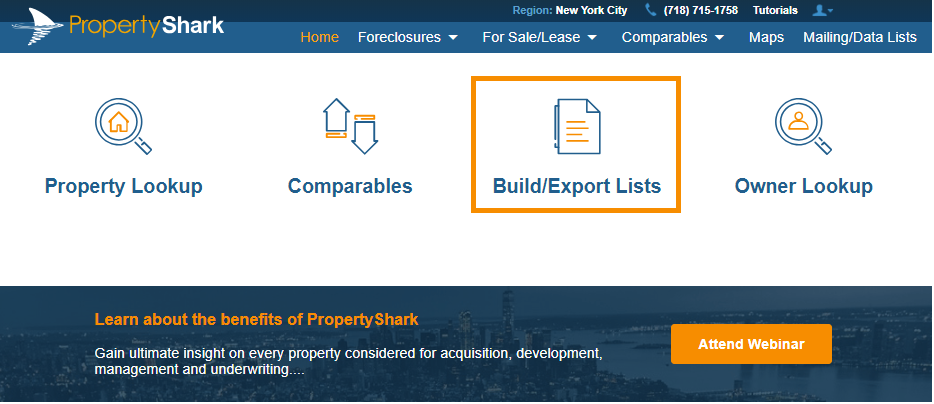
Step 1: Access property lists tool
Getting targeted lists of property owners is usually time-consuming, but our new property lists tool will help you get the results you need, with owner phone numbers included.
Choose any PropertyShark subscription and join the real estate pros who use our property lists tool every day.
Subscribers to Platinum also get access to real owners with verified phone numbers.
Step 2: Choose your target location and property type
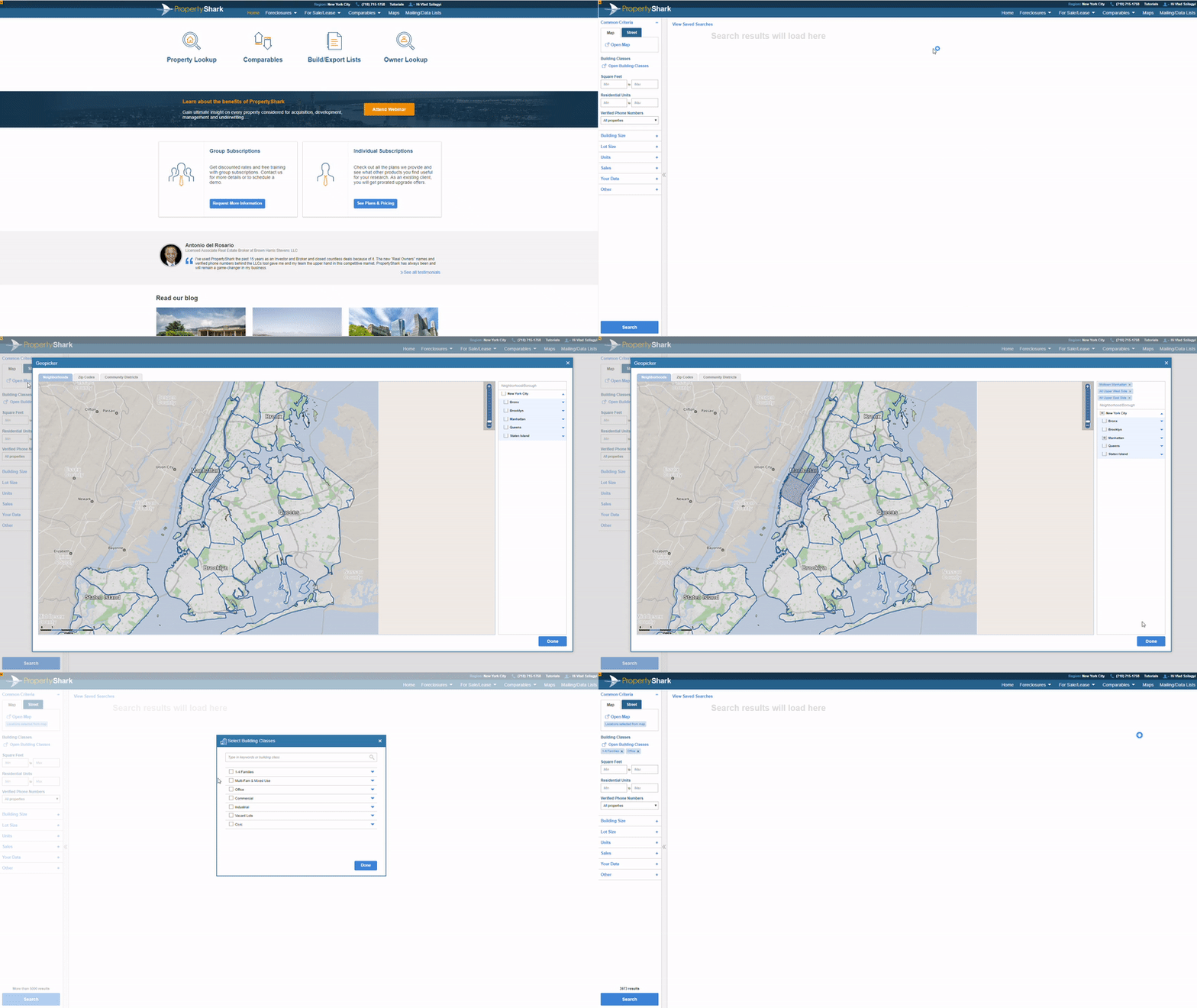
The first thing you should do is to define your target area and select the property types you need.
Here are some useful tips for you:
- Tip #1: Besides using predefined areas like neighborhoods or zip codes, you can draw your custom area on the map.
- Tip #2: Don't forget you can expand each building class so you fine tune your search even more.
- Tip #3: You can get only properties of a certain size by using the square footage or number of units filters.
So let's say you need to get a list of office buildings with more than 50 units in Midtown Manhattan. You can do so by using our flexible filters.
Step 3: Filter only real owners with verified phone numbers
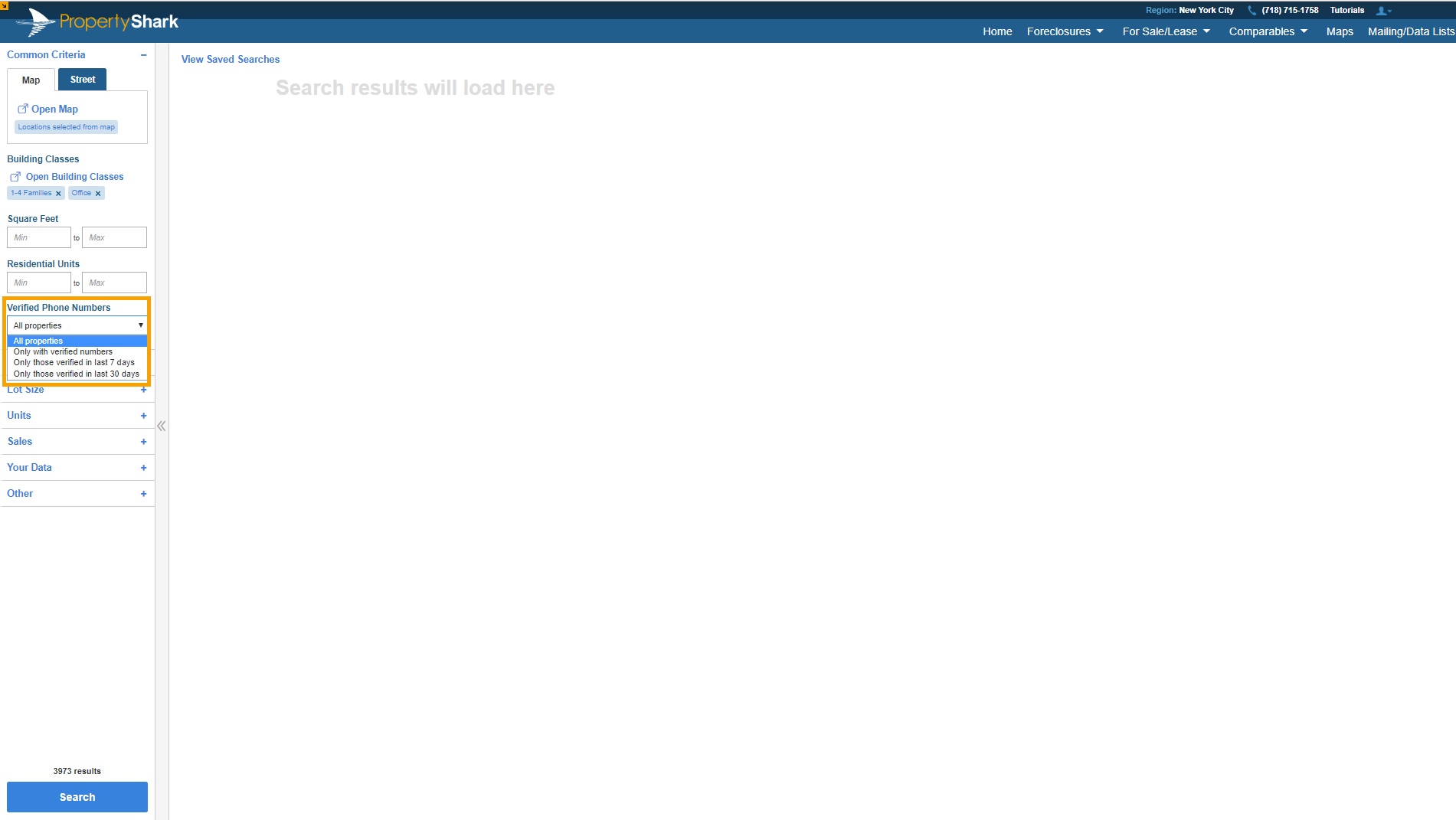
Subscribers to Platinum can use an extra filter - get only owners with phone numbers verified by our research team.
Current coverage - we have real owners for all LLC-owned properties in all of New York City.
Verified phone numbers - our team is making around 9,000 calls each day to make sure the phone numbers we research reach the right people.
Furthermore, with access to Real Owners you can export lists with researched owners and verified phone numbers included. This will help you power up your prospecting as you will no longer waste time with inaccurate phone numbers.
Step 4: Narrow down your search with optional criteria
It might be that you have more specific criteria in mind or that your initial search returned thousands of results and you want to narrow it down. In these cases, you could use additional criteria like:
- - Sales information: sale prices, sale date
- - Property and lot size: number of stories, lot sqft, and more
- - Unit count: total units, free market units, regulated units
- - Other: tax class, unused FAR, maximum buildable sqft
Step 5: See key property data, ownership, sales, and mortgages
Your results will be generated as soon as you hit search.
In the middle column you will see the list of properties that match your criteria with basic property data. Make sure you click on See Ownership and you will see who owns the property - real owners included - and all title documents pertaining to the property.
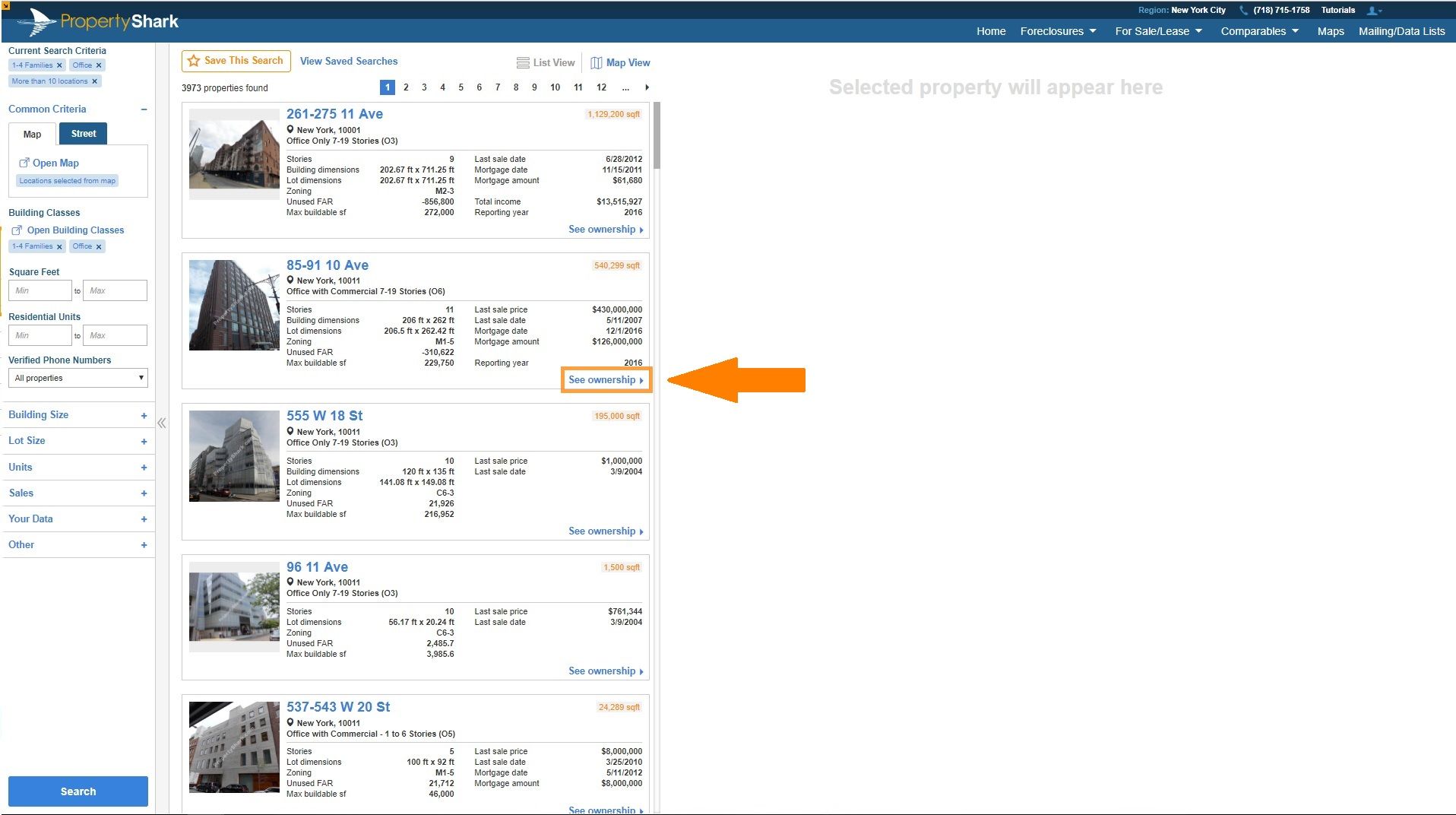
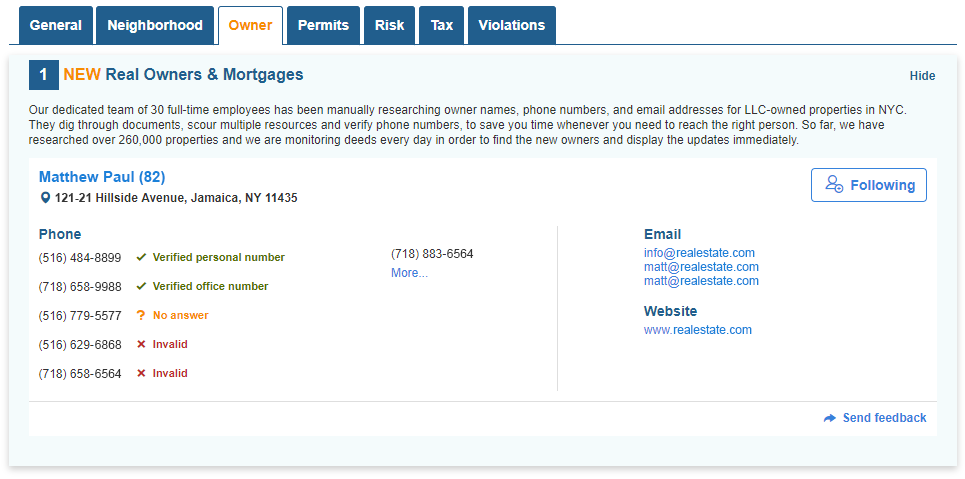
Subscribers to Platinum see the manually researched real owners behind LLCs and verified phone numbers.
With access to real owners, you can set a follow-up and add your notes for any real owner, so you can better manage your contacts.
Step 6: Save your lists or export owners and phone numbers
After you create your list, you can:
- - Save your list so you can return to it at any time
- - Export owners and verified phone numbers and start making calls
Go ahead and try the property lists tool so you can see for yourself just how time-saving it is. You will get your own lists of properties quickly and have all the contact information you need, at your fingertips.